Professional Guide to Choosing an a2 size photo printer
Professional Guide to Choosing an a2 size photo printer
The Ultimate Guide to Choosing an A2 Size Photo Printer
For professional photographers, graphic designers, and art studios, the ability to produce high-quality, large-format prints in-house is a game-changer. An a2 size photo printer offers the perfect balance between desk-friendly dimensions and impressive output scale. By bridging the gap between standard A4 office prints and massive industrial banners, A2 printers allow creators to showcase intricate details and vivid colors on a scale that truly captivates the viewer. In this guide, we will explore the technical nuances, benefits, and selection criteria to help you find the perfect printing solution for your creative workflow.
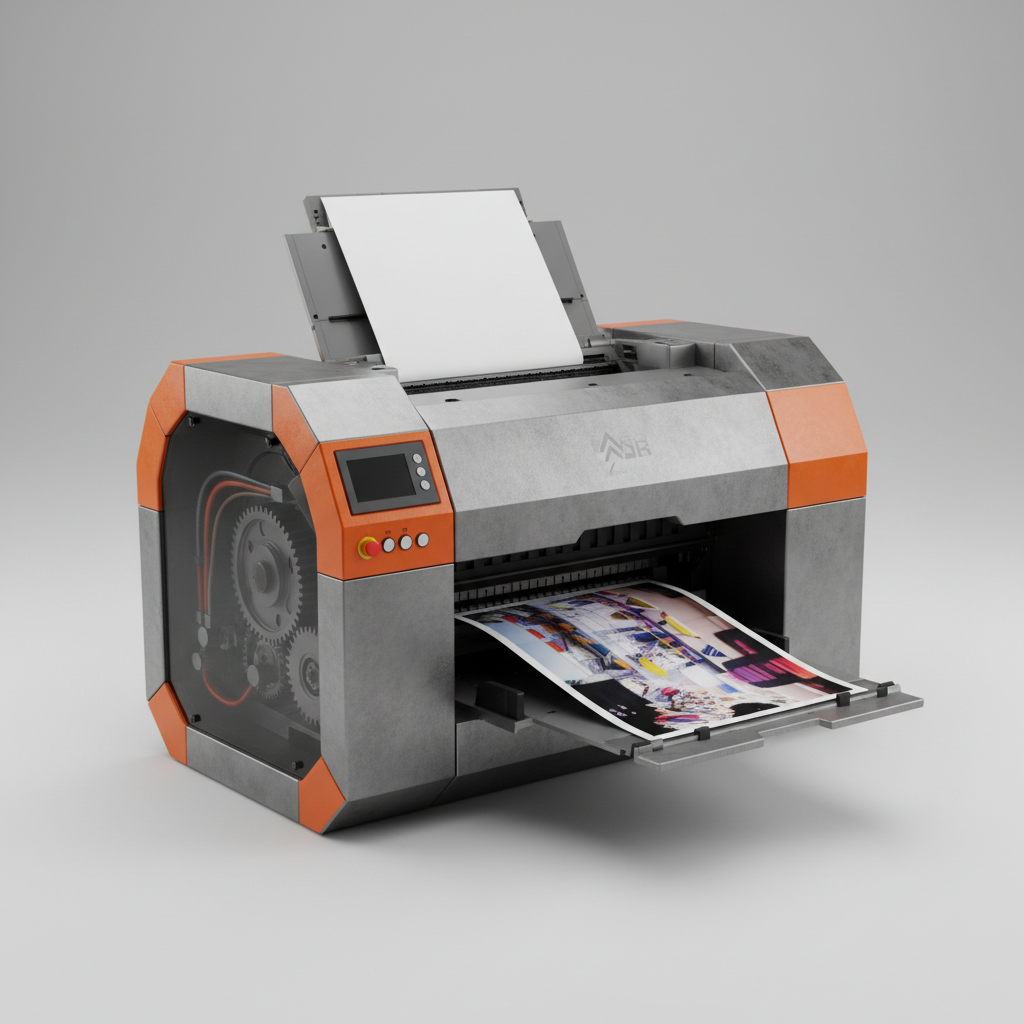
Why Upgrade to an A2 Size Photo Printer?
Scaling up your print size isn't just about the dimensions; it's about visual impact. An a2 size photo printer enables you to produce posters, architectural plans, and fine-art photography that commands attention. Unlike smaller printers, A2 models are typically engineered with advanced ink-jet systems that maintain high resolution across a larger surface area, ensuring that there is no loss in sharpness or color depth. This allows artists to provide their clients with gallery-ready pieces without relying on expensive third-party print shops, thereby reducing turnaround time and increasing profit margins.
Pro Tip: When printing at A2 size, ensure your source images are at least 300 DPI to avoid pixelation and maintain professional-grade clarity.
Key Technical Specifications for A2 Printers
Understanding the technical capabilities of your hardware is essential for achieving consistent results. When shopping for an a2 size photo printer, you should pay close attention to the ink type (pigment vs. dye), the number of ink cartridges, and the paper handling system. Pigment inks are generally preferred for professional photography due to their superior archival properties and resistance to fading over time. Below is a detailed specification table highlighting the standard requirements for a professional-grade A2 setup.
A2 Size Photo Printer vs. Standard Large Format Plotters
Many users confuse professional photo printers with wide-format plotters. While both can handle large sheets, the objective of an a2 size photo printer is color accuracy and tonal graduation. Plotters are designed for technical drawings (CAD) where line precision is key, but color depth is secondary. Photo printers utilize sophisticated print heads that can layer ink with extreme precision, creating the "depth" seen in gallery photographs. If your goal is to sell art or create high-end marketing materials, the dedicated photo printer is the only viable choice.
Optimizing Workflow for Large Format Printing
Owning an a2 size photo printer is only half the battle; the other half is the workflow. To ensure consistent quality, you must implement a color management system. This includes using calibrated monitors and ICC profiles specific to the paper you are using. Because A2 prints are large, any color shift is magnified. By synchronizing your software (like Adobe Photoshop or Lightroom) with your printer's hardware, you eliminate the guesswork and avoid wasting expensive ink and media on incorrect test prints.
Common Applications for the A2 Format
The A2 size (420 x 594 mm) is incredibly versatile. In the commercial world, it is the standard for high-end movie posters and promotional event flyers. In the fine art world, it allows photographers to create a substantial presence on a wall without requiring the massive space of an A0 print. Additionally, architects often use an a2 size photo printer for conceptual renderings that need to show realistic textures and lighting to clients. From boutique galleries to modern corporate offices, the A2 format strikes the perfect balance of elegance and visibility.
Maintenance Tips for Long-Term Reliability
To keep your investment running smoothly, regular maintenance is non-negotiable. The print heads of an a2 size photo printer can clog if left unused for long periods. We recommend printing a "nozzle check" page at least once a week to keep the ink flowing. Additionally, always use high-quality, lint-free paper and keep the printer in a dust-free environment. Using genuine ink cartridges prevents chemical imbalances that can lead to head failure, ensuring that your prints remain vibrant and your machine remains operational for years to come.
Conclusion: Elevate Your Art with A2 Printing
Investing in a professional a2 size photo printer is more than just a hardware upgrade; it is an expansion of your creative capabilities. By bringing large-format printing in-house, you gain total control over the final output, reduce external costs, and provide a premium product to your clients. Whether you are producing archival fine art or high-impact commercial posters, the A2 format is the ideal choice for those who refuse to compromise on quality and scale.
Frequently Asked Questions (FAQs)
Is an A2 printer too large for a home office?
Not at all. Modern a2 size photo printers are designed with a compact footprint compared to industrial plotters. Most models fit comfortably on a sturdy desk or a dedicated printer stand. The key is to ensure you have enough clearance behind and in front of the machine for the paper feed and output tray to operate without obstruction. Many artists successfully operate A2 setups in small studio spaces without any logistical issues.
What is the difference between Dye and Pigment inks for A2 prints?
Dye inks are essentially dissolved in water; they provide extremely vibrant colors and are great for glossy papers, but they fade faster when exposed to UV light. Pigment inks consist of tiny particles of colored pigment suspended in a liquid; they sit on top of the paper and are much more stable. For an a2 size photo printer used for gallery work, pigment inks are highly recommended because they offer archival quality, meaning the prints can last for decades without significant fading.
How do I prevent "banding" on large A2 prints?
Banding—those visible lines across a print—is usually caused by clogged nozzles or incorrect print settings. First, run a print head cleaning cycle. Second, ensure you are using the correct paper profile in your software; printing on "Plain Paper" settings while using "Fine Art" paper often causes uneven ink distribution. Finally, reducing the print speed to "High Quality" or "Slow" allows the print head more time to place ink accurately, which almost always eliminates banding on an a2 size photo printer.
Which paper is best for A2 photo printing?
The "best" paper depends on the desired look. For a modern, sharp look, luster or semi-gloss papers are ideal as they reduce glare while maintaining depth. For a traditional art feel, cotton rag or matte fine art papers are superior, providing a textured surface that mimics canvas or watercolor paper. When using an a2 size photo printer, always check the weight (GSM) of the paper to ensure your printer's rollers can handle the thickness without jamming.